

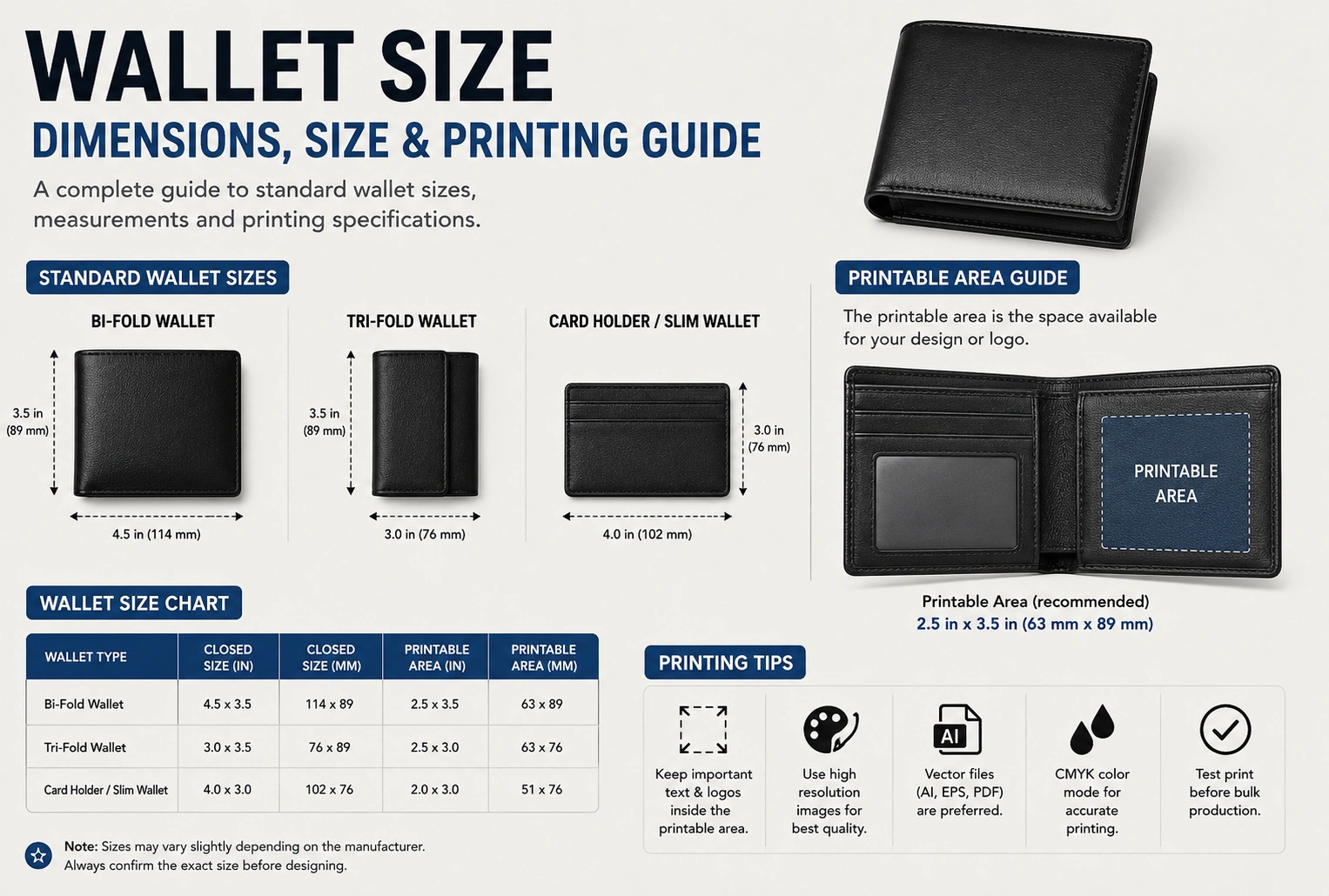
A wallet size photo is a small printed photograph designed to fit easily inside a wallet, purse, photo album, or card holder.
The standard wallet photo size is:
- 2 × 3 inches
- 5.1 × 7.6 cm
Although some printing companies may use slightly different dimensions, 2 × 3 inches is the most widely recognized wallet photo size.
Quick Answer
| Measurement | Wallet Size Photo |
|---|---|
| Inches | 2 × 3 in |
| Centimeters | 5.1 × 7.6 cm |
| Millimeters | 51 × 76 mm |
Most photo printing services recognize 2 × 3 inches as the standard wallet-size print.
Standard Wallet Photo Dimensions
A wallet photo is significantly smaller than common print sizes such as 4×6 or 5×7.
Typical dimensions include:
- Width: 2 inches
- Height: 3 inches
Some professional labs may trim photos slightly differently, but the overall size remains close to the standard.
Wallet Size Photo in Pixels
The number of pixels depends on the print resolution.
At 300 DPI (recommended for photo printing):
| Print Size | Pixels |
| 2 × 3 inches | 600 × 900 pixels |
Using an image with at least 600 × 900 pixels helps produce a sharp, high-quality wallet photo.
Higher resolutions are even better because they preserve more detail when printing.
Common Uses for Wallet Size Photos
Wallet-sized photos are commonly used for:
- Family pictures
- School portraits
- Graduation photos
- Baby photos
- Pet pictures
- Gift inserts
- Scrapbooks
- Memory albums
- Personal keepsakes
Their compact size makes them easy to carry and share.
Wallet Photo vs. Other Photo Sizes
| Photo Size | Dimensions |
| Wallet | 2 × 3 in |
| 4 × 6 | 4 × 6 in |
| 5 × 7 | 5 × 7 in |
| 8 × 10 | 8 × 10 in |
Wallet photos are the smallest of these popular print sizes and are ideal for carrying in wallets or small frames.
Tips for Printing Wallet Size Photos
For the best print quality:
- Use a high-resolution image.
- Print at 300 DPI whenever possible.
- Crop the photo to the correct aspect ratio before printing.
- Preview the image to ensure faces and important details are not cut off.
- Choose quality photo paper for sharper colors and longer-lasting prints.
These simple steps help produce clear, professional-looking wallet-size photos.
How to Print a Wallet Size Photo
Printing a wallet-size photo is simple if you start with the correct image dimensions and resolution.
Step 1: Choose a High-Resolution Image
For the best results, use a clear, high-quality photo. Blurry or low-resolution images may appear pixelated when printed.
Step 2: Crop to the Correct Size
Crop the image to the standard 2 × 3-inch aspect ratio before uploading it to a printing service.
This helps ensure that important parts of the image—such as faces—are not accidentally trimmed.
Step 3: Use 300 DPI
A resolution of 300 DPI (dots per inch) is recommended for photo-quality printing.
For a 2 × 3-inch print, an image of 600 × 900 pixels or larger provides good print quality.
Step 4: Select Quality Photo Paper
Glossy, matte, and satin finishes are all popular options. The best choice depends on your personal preference and how the photo will be used.
Common Mistakes to Avoid
Using a Low-Resolution Image
Small photos still require sufficient resolution. Starting with a high-quality image helps produce a sharp final print.
Ignoring the Aspect Ratio
Cropping without matching the 2 × 3-inch ratio can stretch the image or cut off important details.
Printing at Low DPI
Printing below 300 DPI may reduce sharpness, especially for portraits or detailed images.
Forgetting Safe Margins
Keep faces, text, and important objects slightly away from the edges so they are not trimmed during printing.
Wallet Photo Resolution Guide
| Print Size | Recommended Resolution | Minimum Pixels |
|---|---|---|
| 2 × 3 inches | 300 DPI | 600 × 900 pixels |
| Higher Quality | 300 DPI | 1200 × 1800 pixels or more |
Using a higher-resolution image provides greater flexibility for cropping while maintaining excellent print quality.
When Should You Use Wallet Size Photos?
Wallet-size photos are ideal for:
- Family keepsakes
- School portraits
- Graduation pictures
- Baby photos
- Pet photos
- Small photo frames
- Scrapbooks
- Greeting cards
- Memory books
- Gifts
Their compact size makes them convenient for carrying and displaying.
Frequently Asked Questions
What is the standard wallet size photo?
The standard wallet photo measures 2 × 3 inches (5.1 × 7.6 cm).
What is the pixel size for a wallet photo?
At 300 DPI, a wallet-size photo should be at least 600 × 900 pixels. Higher resolutions provide even better print quality.
Can I print wallet photos at home?
Yes. If you have a quality photo printer and photo paper, you can print wallet-size photos at home using the correct dimensions and print settings.
Is a wallet photo the same as a passport photo?
No. Passport photos follow official government size requirements, while wallet photos are standard personal prints intended for wallets, albums, and small frames.
What resolution is best for wallet-size prints?
A resolution of 300 DPI is recommended because it produces sharp, detailed, and professional-looking photo prints.
Conclusion
A wallet size photo is typically 2 × 3 inches (5.1 × 7.6 cm), making it an excellent choice for carrying cherished memories in a wallet, purse, photo album, or small frame. For the best results, use a high-resolution image, crop it to the correct aspect ratio, and print at 300 DPI on quality photo paper.
Whether you’re printing family portraits, school pictures, graduation photos, or personalized gifts, understanding the standard wallet photo dimensions and recommended print settings helps ensure clear, vibrant, and long-lasting prints.
Discover More Articles
Chips Bag Size: Complete Size Guide & Chart